
Instagram built a carousel editor into the Edits app, then shipped it switched off and parked it three menus deep. Here is the whole fix: open Edits, tap your profile icon, scroll to the bottom, open Labs, and switch on Carousel editor. Then go back to Projects, tap the plus, and Carousel sits right at the top of the menu.
Four taps. That is the entire tutorial, and if that is all you came for, go turn it on.
If you want the step-by-step with screenshots, plus why this quiet little toggle changes how fast you can produce content, keep reading.
Why you could not find it
You did not miss an update, and your app is not broken. The carousel editor lives inside Labs, the section of Edits where Instagram parks features it is still testing. Labs features ship turned off, they do not announce themselves, and most people never scroll far enough to learn the section exists.
Which is a strange place to hide this one, because carousels are the strongest post on Instagram right now. Instagram’s own team has said carousels lead on engagement and on views from the followers you already have. That is reach you are not paying for, sitting behind a toggle nobody flips.
So flip it.
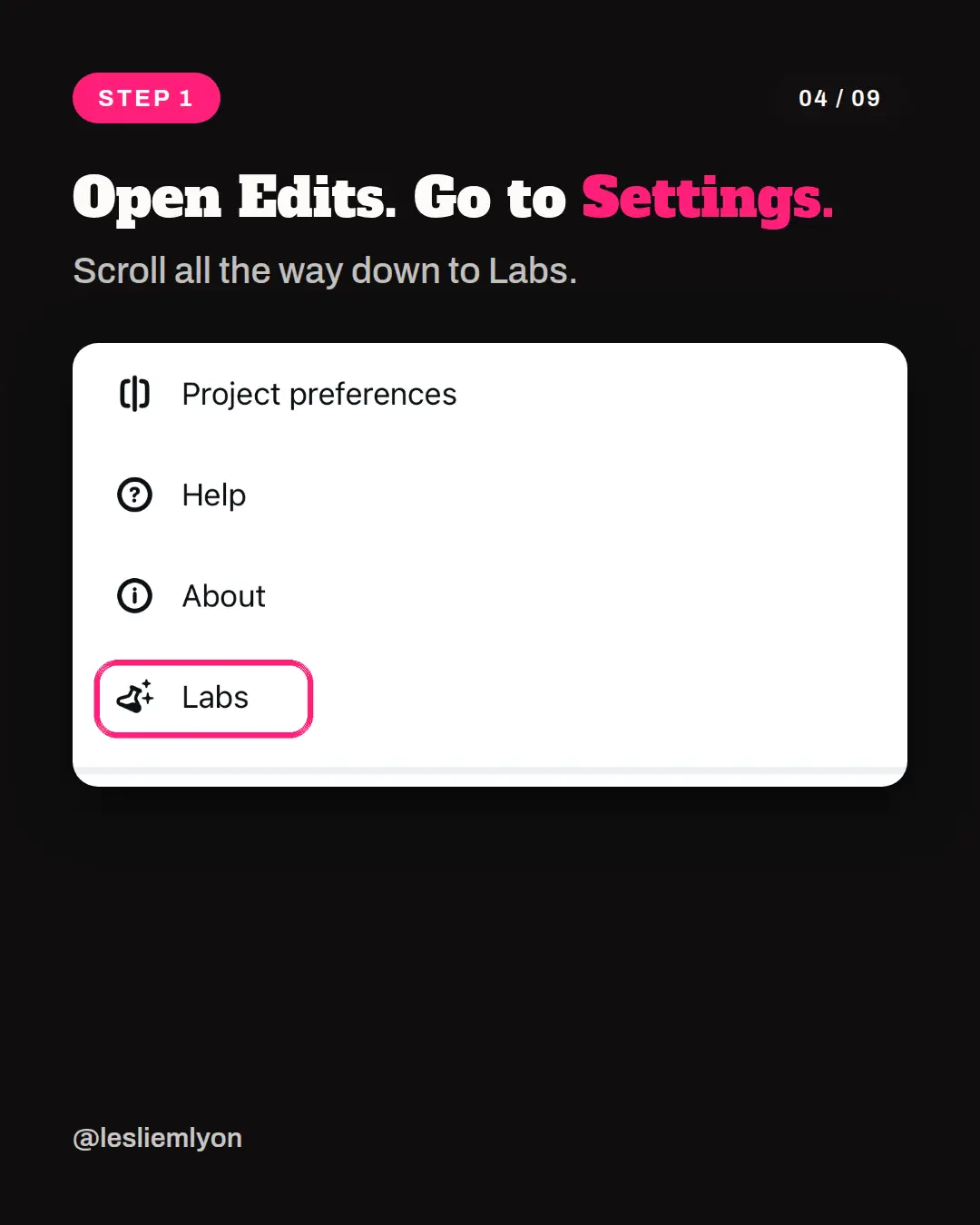
Step 1: Open Edits and go to Labs
Open the Edits app and tap your profile icon. Scroll all the way down, past Project preferences, Help, and About, until you see Labs with the little flask icon. Tap it.
Step 2: Switch on Carousel editor
Inside Labs you will see the experimental features list. Find Carousel editor, described as “Create and edit posts with multiple photos and videos,” and switch it on.
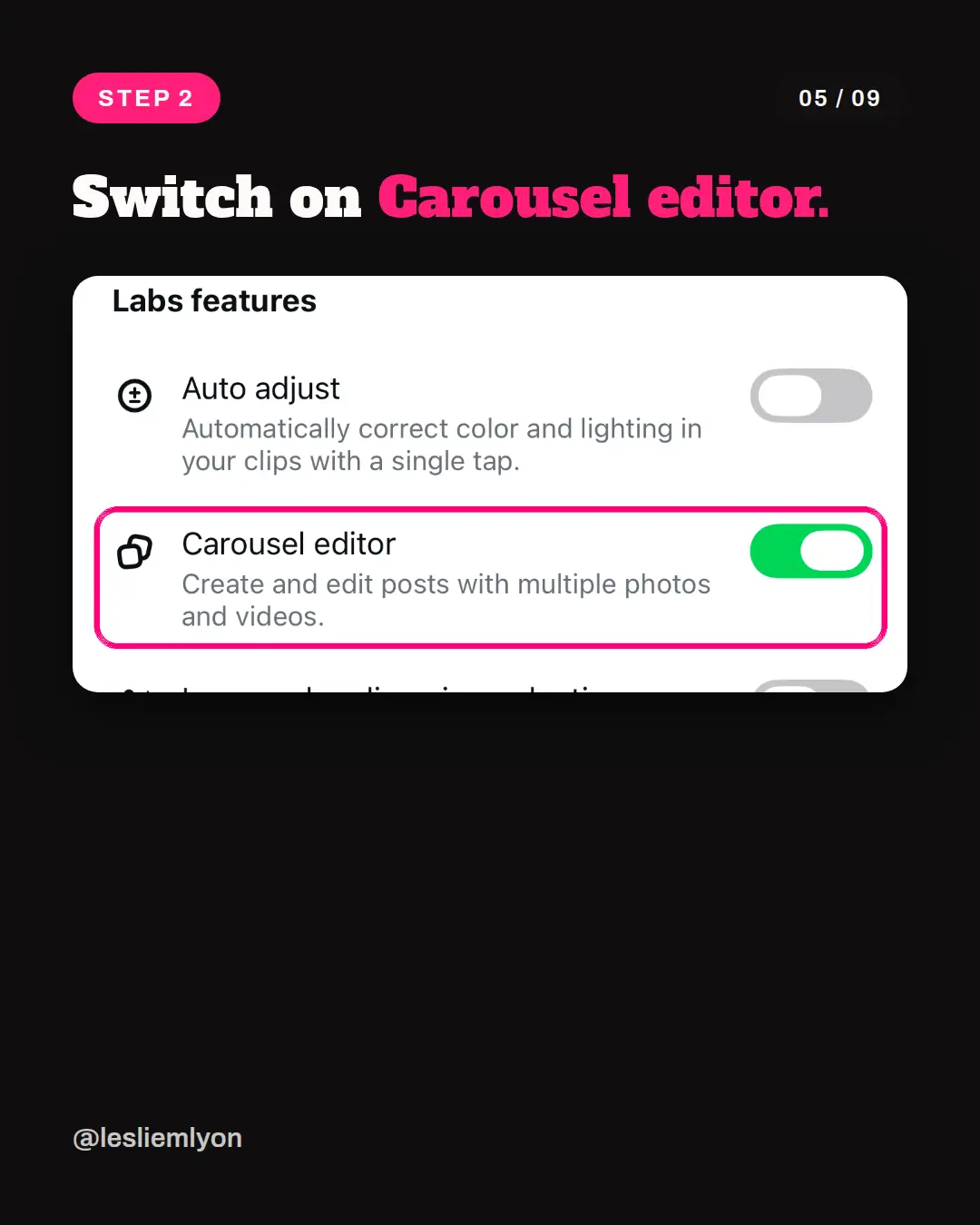
That description is worth a second look: photos and videos. The editor handles mixed carousels, which matters for the workflow at the end of this post.
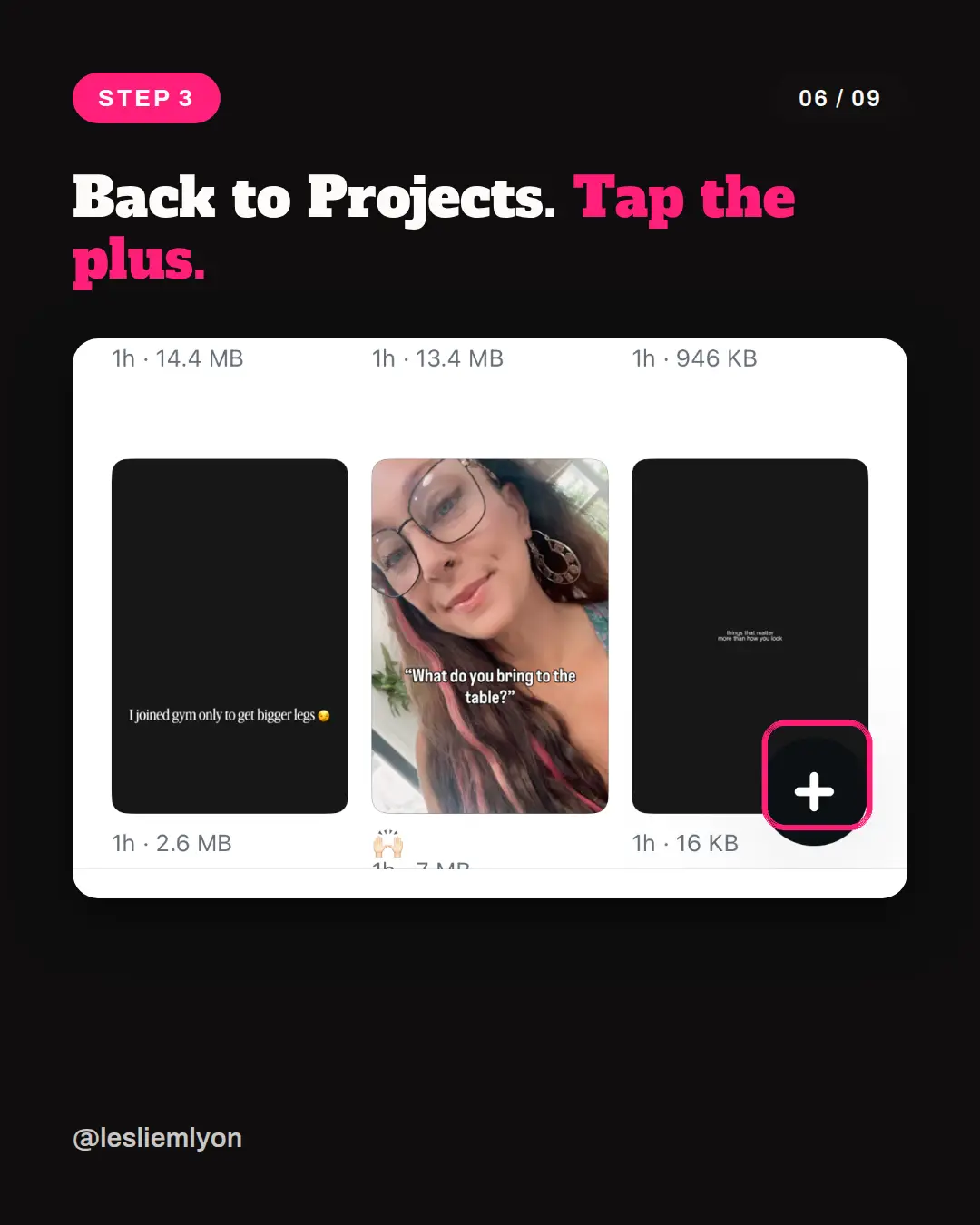
Step 3: Go back to Projects and tap the plus
Back out to your Projects screen, where your reels and drafts live. Tap the plus button in the corner, the same one you use to start a new reel.
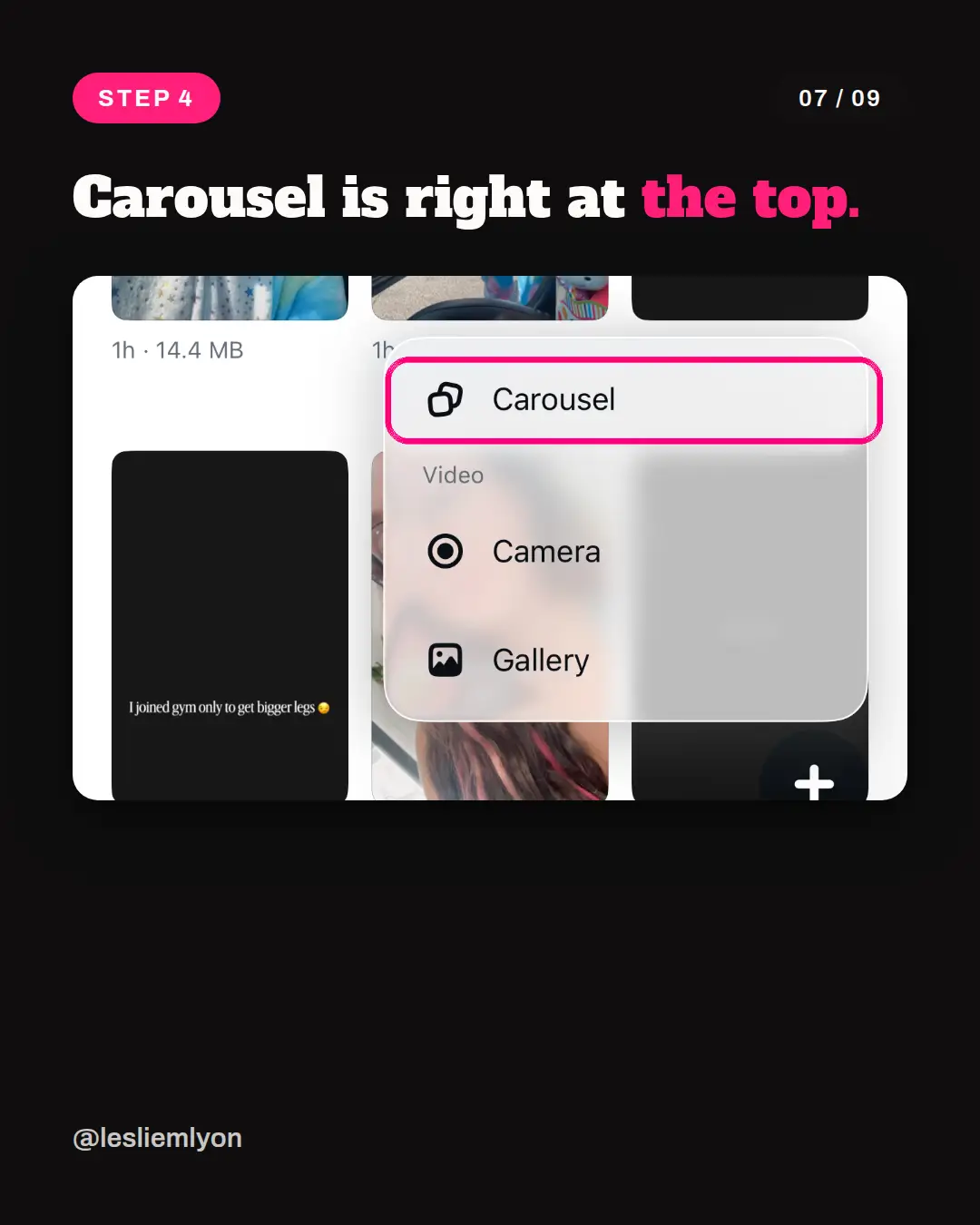
Step 4: Tap Carousel
The create menu now has a new option sitting right at the top: Carousel. Tap it and you are in the editor, building a multi-slide post inside the same app you cut your reels in.
That is the whole setup. The toggle stays on from here; you only do this once.
Prefer to watch it?
Here is the whole walkthrough as a reel, taps on screen:
Why this matters more than it looks
On the surface this is a convenience feature. Underneath, it removes the biggest tax on content production: the tool switch.
Until now, the reel and the carousel from the same idea lived in different apps. You shot and cut the reel in Edits, then exported, then rebuilt the visual story somewhere else, and the carousel quietly became a tomorrow problem. Tomorrow problems do not get posted.
Now the reel and the carousel come out of the same shoot, in the same app, in one sitting. No exporting, no second tool, no extra day on the calendar. When I batch content with clients, that is how one session turns into 34 pieces of content in two hours: the reel earns cold reach, and the carousel earns the saves, shares, and reads from the audience you already built. If you only post reels, you are leaving your warmest reach sitting there.
The full case for the format is in how to use Instagram carousels to grow, and the move I run on repeat: take your fully written, search-optimized caption, break it into slides, one point per slide, and let the carousel force the read that a long caption never gets. Carousels are a core component of my viral framework for exactly that reason.
If Labs or the toggle is not there
A few reasons the option might not show for you yet.
Old app version. Update Edits in the app store, force close, reopen.
Rollout timing. Labs features roll out in waves. Two accounts can see different Labs lists in the same week. Give it an update cycle before deciding it is missing.
You are looking in Instagram, not Edits. This editor lives in the separate Edits app, the free one you use for reels. Same login, different app.
Instagram has a habit of hiding its best tools like this. The trial reels toggle hid on the final posting screen for months while everyone hunted for it in settings; I mapped that one too. The people who find the buried features early get the reach while everyone else waits for the announcement.
Want the batching system, not another app tour?
Turning the toggle on takes four taps. Turning it into 34 pieces of content in two hours takes a system: the ideas worth shooting, the hooks that stop the scroll, and the one-shoot-two-formats workflow.
Book a strategy call and I will map that system to your business.
Frequently asked questions
Where is the carousel editor in the Edits app?
In Labs. Tap your profile icon in Edits, scroll to the bottom, open Labs, and switch on Carousel editor. Then tap the plus on your Projects screen and Carousel appears at the top of the menu.
Why can’t I find the carousel option in Edits?
It ships switched off. Turn it on in Labs first. If Labs does not show it, update the app and give the rollout a few days; Labs features arrive in waves.
Is the Edits app free?
Yes. It is Instagram’s free editing app, the same one used for cutting reels. The carousel editor adds multi-slide posts to it at no cost.
Can you mix photos and videos in an Edits carousel?
Yes. The Labs description says it outright: posts with multiple photos and videos. You can pull clips and stills from the same shoot into one carousel.
Are carousels better than reels?
They do different jobs. Reels reach strangers; carousels earn engagement, saves, and views from the followers you already have. The accounts growing fastest run both from the same shoot instead of choosing.
Leave Your Comment