How to Turn On Instagram Trial Reels (Step-by-Step Guide 2026)

How to Turn On Instagram Trial Reels (Step-by-Step Guide 2026)

How to Turn On Instagram Trial Reels (Step-by-Step Guide 2026)

Can’t find Instagram Trial Reels in your app? You’re not alone, here’s exactly where to look and how to enable this game-changing feature.

You’ve heard about Instagram Trial Reels and want to start testing your content before posting, but there’s one problem: you can’t find the feature anywhere in your Instagram app. Don’t worry, this is incredibly common, and there are specific reasons why the option might not be showing up.

The short answer: Instagram Trial Reels appear in the “Audience” settings when creating a new reel, but only if you meet certain prerequisites and have access to the feature in your region.

This comprehensive guide will walk you through exactly how to turn on Instagram Trial Reels, with step-by-step screenshots for both iOS and Android, plus troubleshooting solutions for when the feature isn’t appearing.

Prerequisites: What You Need Before Starting

Before diving into the step-by-step process, ensure you meet these requirements. Missing any one of these can prevent Trial Reels from appearing in your Instagram app.

Account Type Requirements: Instagram Trial Reels are primarily available to Business and Creator accounts. Personal accounts have extremely limited access to this feature, and even when available, functionality may be restricted.


📌 Update May 2026: Instagram Trial Reels require a minimum of 1,000 followers to access. If the Trial option is not showing in your Audience settings, your follower count is the first thing to check. All other steps in this guide apply once you hit that threshold.

How to check your account type:

  1. Go to your Instagram profile
  2. Tap the three lines (menu) in the top right
  3. Select “Settings and Privacy”
  4. Tap “Account type and tools”
  5. Look for “Switch to professional account” or see your current account type listed

How to switch to Business or Creator account:

  1. Follow the steps above to reach “Account type and tools”
  2. Select “Switch to professional account”
  3. Choose “Creator” for personal brands or “Business” for companies
  4. Complete the setup process (takes 2-3 minutes)

Follower Count Requirement: You must have a minimum of 1,000 followers to access Instagram Trial Reels. If your account hasn’t reached this threshold yet, the Trial option will not appear in your Audience settings regardless of your account type or app version.

App Version Requirements: Instagram Trial Reels require a recent version of the Instagram app. Older versions won’t display the feature even if your account qualifies.

For iPhone users:

  • Minimum iOS version: 12.0 or later
  • Instagram app version: 250.0 or later (check App Store for updates)

For Android users:

  • Minimum Android version: 6.0 or later
  • Instagram app version: 250.0 or later (check Google Play Store)

How to update Instagram:

  1. Open App Store (iOS) or Google Play Store (Android)
  2. Search for “Instagram”
  3. If an update is available, tap “Update”
  4. Wait for download and installation to complete
  5. Restart the Instagram app

Regional Availability: Instagram rolls out new features gradually across different regions. Trial Reels are available in most major markets, including the US, Canada, UK, Australia, and much of Europe, but some regions may still be waiting for access.

According to Meta’s developer documentation, feature rollouts can take 3-6 months to reach all global markets.

Step-by-Step Tutorial: iOS Users

Here’s exactly how to turn on Instagram Trial Reels on iPhone devices, with specific screenshots for each step.

Step 1: Open Instagram and Create New Reel

  1. Open the Instagram app on your iPhone
  2. Tap the “+” icon at the bottom center of your screen
  3. Select “Reel” from the options at the bottom
  4. Create your reel content as you normally would (video, text, effects, etc.)

Step 2: Navigate to Posting Options

  1. After editing your reel, tap “Next” in the top right corner
  2. You’ll see the standard sharing screen with caption box, tags, and location options
  3. DO NOT tap “Share” yet—we need to change the audience settings first

Step 3: Find Audience Settings

  1. Look for “Audience” in the sharing options (usually near the top)
  2. The default setting typically shows “Everyone”
  3. Tap on “Audience” to see all available options
  4. You should see options including “Everyone,” “Close Friends,” and hopefully “Trial”

Step 4: Enable Trial Reels

  1. Select “Trial” from the audience options
  2. The interface will change to show trial-specific settings
  3. You’ll see additional options related to trial duration and metrics

Step 5: Critical Step – Turn Off “Also Share On”

  1. Scroll down to find “Also share on” section
  2. You’ll see toggles for Facebook and potentially other platforms
  3. Turn OFF all “Also share on” options – this is crucial!
  4. If these remain on, your trial will post to your main feed, defeating the purpose

Step 6: Complete Trial Setup

  1. Verify “Audience” shows “Trial”
  2. Confirm all sharing options are disabled
  3. Add your caption and any relevant hashtags
  4. Tap “Share” to start your trial


Step-by-Step Tutorial: Android Users

The process for Android users is nearly identical to iOS, with minor interface differences.

Step 1: Create Your Reel

  1. Open Instagram on your Android device
  2. Tap the “+” button at the bottom center
  3. Choose “Reel” from the content type options
  4. Edit your reel with desired content, effects, and text

Step 2: Access Sharing Screen

  1. Tap “Next” after editing (top right corner)
  2. You’ll reach the sharing and caption screen
  3. Don’t tap “Share” immediately—settings need to be adjusted

Step 3: Modify Audience Settings

  1. Find “Audience” in the sharing options (typically near the top)
  2. Default setting usually displays “Everyone”
  3. Tap “Audience” to expand options
  4. Look for “Trial” among the available choices

Step 4: Activate Trial Mode

  1. Select “Trial” from the audience dropdown
  2. Interface will update to show trial-specific options
  3. Additional metrics and testing information may appear

Step 5: Disable Cross-Platform Sharing

  1. Locate “Also share on” section (scroll down if necessary)
  2. Turn OFF Facebook sharing toggle
  3. Disable any other platform sharing options that appear
  4. This step is critical – leaving these on will post to your main feed

Step 6: Launch Your Trial

  1. Double-check “Audience” displays “Trial”
  2. Verify all cross-platform sharing is disabled
  3. Complete your caption and hashtag selection
  4. Tap “Share” to begin the trial period

Verification Steps: Confirming Trial Reels Are Active

After following the setup steps, you need to verify that Trial Reels are actually working correctly.

What the Interface Should Look Like:

  • Your content should NOT appear in your main Instagram feed
  • A new “Trial Reels” section should be visible in your profile or Instagram menu
  • The audience indicator should clearly show “Trial” instead of “Everyone”

How to Check Your Active Trials:

  1. Go to your Instagram profile
  2. Look for a “Trial Reels” section (location varies by app version)
  3. Alternatively, check the Instagram menu (three lines) for “Trial Reels”
  4. Your active trials should be listed with current performance metrics

What You Should See After 24-48 Hours:

  • View count and reach statistics
  • Engagement metrics (likes, comments, saves)
  • Completion rate data
  • Audience demographic information
  • Option to promote to main feed or create new trial

Red Flags That Indicate Problems:

  • Content appears in your main Instagram feed immediately
  • Friends/followers mention seeing your “trial” content
  • No separate “Trial Reels” section appears in your profile
  • Content receives engagement from your regular followers during trial period

Troubleshooting Common Setup Issues

Even following the steps perfectly, some users encounter issues. Here are solutions to the most common problems.

Issue #1: “Trial” Option Not Appearing in Audience Settings This is the most common problem. Causes include:

  • Personal account instead of Business/Creator
  • Outdated app version
  • Regional availability limitations
  • Account restrictions or violations

Solution:

  1. Switch to Business or Creator account
  2. Update Instagram app to latest version
  3. Wait 24-48 hours for changes to take effect
  4. Contact Instagram support if problem persists

Issue #2: Trial Reels Posting to Main Feed If your trial content appears in your regular feed, you didn’t properly disable sharing options.

Solution:

  1. Delete the post immediately
  2. Recreate the reel
  3. Carefully turn OFF all “Also share on” options before posting
  4. Double-check audience settings show “Trial” only

Issue #3: No Performance Data After Trial Period Sometimes trials complete but don’t show metrics.

Solution:

  1. Check the separate “Trial Reels” section in your profile
  2. Look in Instagram menu under analytics or insights
  3. Wait up to 72 hours for data to populate
  4. Ensure you have a Business/Creator account (Personal accounts get limited data)

Issue #4: App Crashes When Enabling Trial Mode Occasional technical glitches can cause app crashes.

Solution:

  1. Force-close Instagram app completely
  2. Restart your phone
  3. Clear Instagram app cache (Android) or reinstall app (iOS)
  4. Try the process again with a shorter, simpler reel

Issue #5: Feature Works Once Then Disappears Some users can access Trial Reels initially but then lose access.

Solution: This often indicates you’re part of Instagram’s A/B testing for the feature. Unfortunately, access may be temporary. You can:

  1. Try switching between Creator and Business account types
  2. Wait for broader feature rollout
  3. Contact Instagram support to report the issue

Pro Tips for First-Time Trial Reel Users

Once you successfully enable Trial Reels, these strategies help maximize your testing effectiveness.

Start with Proven Content Types: Don’t use your first trial to test completely new content formats. Instead, create variations of content that already performs well for you. This helps you understand the feature without the variable of untested content topics.

Keep Initial Trials Short: Your first few trials should be 4-7 seconds maximum. Shorter content generates testing data faster and helps you understand the feature’s feedback loop.

Test During Peak Hours: Post your trials when your audience is most active. This ensures the test audience represents your actual followers’ engagement patterns and provides more accurate performance data.

Create Multiple Variations: Instead of testing one piece of content, create 2-3 slight variations of the same concept. Test different hooks, visual styles, or text overlays to see what resonates most with your audience.

Document Your Results: Keep track of what you test and the results. Create a simple spreadsheet noting:

  • Content type and topic
  • Hook used
  • Visual style
  • Performance metrics
  • Whether you posted to main feed
  • Final engagement if posted

Don’t Overthink the First Trial: Many users spend too much time perfecting their first trial. The goal is to learn the system, not create perfect content. Use simple, straightforward content to understand how the feature works.

What to Test First: Content Ideas for Beginners

Educational Content Variations: Create the same tip or lesson with three different approaches:

  • Question format: “Ever wonder why [topic]?”
  • Problem format: “Stop making this [topic] mistake”
  • Story format: “Here’s what I learned about [topic]”

Behind-the-Scenes Content: Test different styles of showing your work process:

  • Fast-paced time-lapse
  • Step-by-step breakdown
  • Narrated explanation of your process

Hook Testing: Take one piece of valuable content and test different opening hooks:

  • Curiosity: “The [industry] secret nobody talks about”
  • Urgency: “You’re missing out on [opportunity]”
  • Authority: “After [X years/experiences], here’s what I know”

Visual Style Testing: Use the same content with different presentation styles:

  • Heavy text overlay with minimal speaking
  • No text, all verbal explanation
  • Mix of text and speaking with visual demonstrations

Advanced Setup Optimization

Once you’re comfortable with basic Trial Reels, these advanced techniques improve your testing strategy.

Timing Strategy: Post trials 2-3 hours before your optimal posting time. This allows you to review results and post winning content during peak engagement hours.

Content Calendar Integration: Build trial testing into your regular content calendar:

  • Monday: Create and test 3 variations
  • Tuesday: Review results, post winner, create next batch
  • Wednesday: Post winner from Tuesday batch, test new content
  • Continue pattern throughout week

Audience Segmentation Testing: While you can’t control who sees trials, you can create content designed to appeal to different segments of your audience, then see which performs best:

  • Beginner vs. advanced content
  • Industry-specific vs. general topics
  • Formal vs. casual presentation style

Metrics Tracking System: Create a more sophisticated tracking system:

  • Screenshot trial metrics before posting to main feed
  • Track long-term performance of content that originated as trials
  • Note seasonal patterns in trial performance
  • Identify your highest-performing trial categories

Integration with Broader Instagram Strategy

Content Repurposing from Trials: Winning trials become valuable assets for repurposing:

  • Save high-performing trials for later reposting
  • Adapt winning formats to different topics
  • Use successful hooks in other content formats (Stories, static posts)
  • Create series based on successful trial themes

Algorithm Training: By only posting proven content to your main feed, you train Instagram’s algorithm to associate your account with high-engagement content. This can improve the performance of all your content over time.

Risk Reduction: Trial Reels eliminate the risk of posting content that could hurt your account’s algorithm performance. Poor-performing trials don’t affect your account’s standing, while poor-performing public posts can reduce future reach.

Data-Driven Content Strategy: Use trial data to inform your broader content strategy:

  • Identify your most engaging content topics
  • Understand your audience’s preferences for presentation style
  • Discover optimal content length for your audience
  • Learn which calls-to-action generate the best response

Next Steps: Building Your Trial Reels System

Week 1: Learning Phase

  • Enable Trial Reels following this guide
  • Create 3-5 trials using existing content concepts
  • Focus on understanding the interface and metrics
  • Don’t worry about perfect performance—learn the system

Week 2: Optimization Phase

  • Start testing content variations systematically
  • Compare different hooks, visual styles, and topics
  • Begin tracking results in a simple spreadsheet
  • Post your best-performing trials to main feed

Week 3: Integration Phase

  • Build Trial Reels into your regular content creation process
  • Create a sustainable testing schedule (don’t overwhelm yourself)
  • Start identifying patterns in what works for your audience
  • Begin developing templates for successful trial formats

Week 4: Scaling Phase

  • Increase your testing frequency based on your capacity
  • Start repurposing winning trial content across other platforms
  • Develop more sophisticated testing strategies
  • Consider how trial insights inform your broader marketing

Ready to Start Testing Your Instagram Content?

Instagram Trial Reels are a powerful tool for eliminating guesswork from your content strategy, but only if you can actually access and properly use the feature. By following this step-by-step guide, you should be able to successfully enable Trial Reels and begin testing your content systematically.

Remember, the goal isn’t to create perfect content immediately—it’s to learn what resonates with your audience through real data rather than assumptions.

Want professional help with your Instagram strategy? Contact our team to discuss how we can help you implement systematic content testing and data-driven growth strategies for your business.

Frequently Asked Questions About Instagram Trial Reels

Do you need 1,000 followers to use Instagram Trial Reels? Yes. Instagram requires a minimum of 1,000 followers to access the Trial Reels feature. Even if you have a Business or Creator account with the latest app version, the Trial option will not appear in your Audience settings until your account reaches this threshold.

Why can’t I find the Trial option in my Audience settings? The most common reasons are: your account is under 1,000 followers, you’re using a personal account instead of a Business or Creator account, your app version is outdated, or Trial Reels haven’t rolled out to your region yet. Work through each prerequisite in order before assuming the feature isn’t available to you.

Do Trial Reels show up on your profile or main feed? No. Trial Reels are shown to non-followers only and do not appear on your main profile grid or in your followers’ feeds. This is the entire point of the feature — you can test content without it affecting your existing audience or account performance.

How long does an Instagram Trial Reel run? Trial Reels run for up to 30 days. The first 72 hours are the most important. Within that window, Instagram shows your content to non-followers and provides performance data. You can choose to promote a trial to your main feed at any point, or simply let it expire.

Can you run multiple Trial Reels at the same time? Yes. Instagram allows you to run multiple trials simultaneously, which makes it possible to test different content types, hooks, or formats at the same time and compare results directly.

What metrics can you see from a Trial Reel? You can view reach, views, likes, comments, saves, and shares from your trial period. These metrics help you determine whether content is worth posting to your main feed before it ever touches your regular audience.

Will a Trial Reel hurt your account if it performs poorly? No. Poor performance during a trial does not negatively impact your account’s algorithm standing. That’s the primary advantage of using trials — only content that has already proven itself gets posted to your main feed.

Can personal accounts use Instagram Trial Reels? Personal accounts have extremely limited access to Trial Reels, and functionality is restricted even when available. To fully use the feature, switch to a Business or Creator account through your account settings.

What should you do if your Trial Reel accidentally posted to your main feed? Delete it immediately. This happens when the “Also share on” toggles are left on before posting. Recreate the reel, turn off all cross-platform sharing options, and confirm your Audience setting shows “Trial” before tapping Share.

How do you know when a Trial Reel is ready to post to your main feed? Instagram will notify you when your trial has enough data to evaluate. As a general benchmark, strong completion rates, save rates above 5%, and profile visits are positive signals that the content is worth sharing with your full audience.


How to Use Instagram Trial Reels to Hit 1 Million Views and 89% Non-Follower Reach in 7 Days

How to Use Instagram Trial Reels to Hit 1 Million Views and 89% Non-Follower Reach in 7 Days

📌 See the entire Instagram Trial Reels Resource Library 

📌 Quick Definition:
Instagram Trial Reels are a testing feature that shows your Reel to non-followers first for 24 hours. Based on engagement metrics, Instagram decides whether to push your Reel to a wider audience or limit its reach.

Already know how Trial Reels work? Check out our [complete step-by-step video guide →]

How to Use Trial Reels to Hit 1 Million Views and 89% Non-Follower Reach in 7 Days

At Leslie M Lyon for our own content and for our customers we consistently have viral content. 

This is not a one time thing.  Leslie M Lyon has consistently generated viral frameworks for our brand and our clients.  

Posting content on Instagram and hoping it performs is a gamble. What if you could test your content before it goes live and only post what you know will work?

That’s exactly what Instagram trial reels let you do. And it’s the strategy I used to hit 1 million views with 89% of those views coming from people who don’t follow me. All in 7 days.

This isn’t about luck or going viral by accident. This is a systematic approach to content testing that removes guesswork and maximizes reach.

Here’s the exact process.

If you are needing support on why trends are important in 2026 check that out here.

What Are Instagram Trial Reels?

Trial reels are Instagram’s built-in A/B testing feature. When you post a reel, you can toggle on “trial reels” before publishing. Instagram will show your reel to a small test audience first and give you performance data before it goes live to your full audience.

This is Instagram literally giving you free content testing. Most creators don’t use it. That’s their mistake. For more information, check out Instagram’s official Creator Center.

The Trial Reels Strategy: How I Hit 1 Million Views in 7 Days

Here’s what most people do: Create one reel, post it, hope it works, feel disappointed when it doesn’t, repeat.

Here’s what I do: Create three variations of the same reel concept, test them all using trial reels, then post only the winner.

Step 1: Create Three Variations of Each Instagram Reel

I create three different versions of the same core concept every single day. The topic stays the same, but the execution changes.

What I change between variations:

  • The hook or text overlay
  • The font style and color
  • The b-roll footage
  • The starting point or length of the video clip
  • The pacing of cuts and transitions

This works for both b-roll reels and talking head videos. The message is consistent. The presentation has three different angles.

Example: If my reel topic is “3 mistakes new real estate investors make,” I create:

  • Version A: Bold sans-serif font, opens with mistake #1, fast cuts
  • Version B: Script font, opens with hook “You’re losing money and don’t even know it,” slower pacing
  • Version C: Different b-roll footage, same script, medium pacing with different starting clip

Each version tests a different hypothesis about what will grab attention and hold viewers.

Step 2: Post All Three Variations to Trial Reels the Night Before

Every night, I post all three variations of each reel topic to trial reels. If I’m creating content around three different topics per day, that’s 9 total videos being tested (3 topics x 3 variations each).

How to use trial reels:

  1. Create your reel as normal in Instagram
  2. Before you hit “Share,” toggle on the “trial reel” option
  3. Post it

Instagram will show your trial reel to a smaller test audience and track performance metrics. You’ll get data on views, completion rate, engagement, and more.

This is how you let your audience tell you what works instead of guessing.

Step 3: Check Trial Reels Performance the Next Day

The next morning, I review which version of each reel performed best. I’m looking at:

  • View count: Which got the most eyeballs?
  • Completion rate: Which one did people watch all the way through?
  • Engagement: Which got the most saves, shares, and comments?

Out of each set of three variations, one always performs better than the others. That’s the version I post to my main feed.

Step 4: Post the Winning Instagram Reels from Your Drafts

Once I know which reel won the test, I go back into my drafts and post that winning version to my main Instagram feed.

At this stage, I also cross-post to Facebook. (I’m currently testing whether cross-posting helps or hurts individual post performance, and I’ll update on those findings.)

The key here is that I’m not posting blind. I’m posting content that already proved it resonates with an audience.

Step 5: Save Winning Reels to Your Content Repurposing Library

This is the step most people skip, and it’s critical for long-term content success.

Every winning reel gets added to my video repurposing folder in Google Drive. This creates a library of proven, high-performing content that I can remix, repurpose, or recreate later.

If you have a team member managing content, this is invaluable. They’re not guessing what to create. They’re working from a folder of content that already delivered results. 

What to save:

  • The video file
  • The caption
  • Performance metrics
  • Notes on what made it work

This becomes your content gold mine.

Step 6: Repeat the Trial Reels Process Daily

I did this every single day for 7 days straight:

  • Three topics per day
  • Three variations of each topic
  • Test all nine in trial reels
  • Post the three winners the next day
  • Save winners to the repurposing library
  • Move on to the next day

No overthinking. No perfectionism. Just testing, data, and execution.

Step 7: Double Down on Instagram Reels That Go Viral

During that 7-day period, three of my reels went viral. When I saw one taking off, I didn’t just celebrate and move on.

I remixed it. I created new variations with slight tweaks and posted them again.

If something works, milk it:

  • Change the hook and repost
  • Use different footage with the same message
  • Create a “part 2” that builds on the viral reel
  • Repurpose the concept for a different platform

One viral reel can become five more high-performing pieces of content if you’re strategic about it.

The Results: 1 Million Views and 89% Non-Follower Reach

By following this trial reels strategy for 7 days straight, here’s what happened:

1 million total views across all posted reels 89% of those views came from non-followers

That second stat is the most important one. The Instagram algorithm pushed my content to new audiences because I gave it content that was already proven to perform well.

I wasn’t hoping for reach. I was engineering it.

Why the Trial Reels Strategy Works

Trial reels eliminate guesswork. You’re not crossing your fingers and hoping your content resonates. You’re testing it with real data before committing to a full post.

Here’s why this approach is so effective:

  1. You learn what your audience actually wants Not what you think they want. What the data proves they want.
  2. You only invest energy in winners Why waste time promoting content that’s already underperforming? Post what works and move on.
  3. You build a library of proven content Every winner goes into your repurposing vault. Over time, you have dozens of high-performing assets to remix and reuse.
  4. You train the algorithm to push your content When Instagram sees that your content consistently performs well in tests, it rewards you with more reach on future posts.

How to Start Using Trial Reels Today

Ready to implement this Instagram trial reels strategy? Here’s your action plan:

Week 1:

  • Choose 3 content topics relevant to your audience
  • Create 3 variations of each (9 videos total)
  • Post all 9 to trial reels over 3 days
  • Track which variations perform best

Week 2:

  • Post the winning variations to your main feed
  • Start building your content repurposing library
  • Analyze what patterns emerge (do certain hooks work better? specific footage styles?)

Week 3 and beyond:

  • Make this your standard content creation process
  • Refine your variations based on what you’ve learned
  • Scale up to more topics per week as you get comfortable with the workflow

Trial Reels Strategy: The Bottom Line

If you’re not using Instagram trial reels, you’re guessing what will work. If you’re guessing, you’re losing opportunities for reach and growth.

Start testing. Post the winners. Build your repurposing library. Repeat.

This is how you scale reach without scaling effort. This is how you go from hoping your content works to knowing it will.


One of my most viral hooks.


Repurposing your content with SEO optimization built in is one of the best ways to keep your content by being indexed from all platforms like Pinterest, Youtube, and Tiktok.

Frequently Asked Questions About Instagram Trial Reels Strategy

What makes a Trial Reel perform well?

High-performing Trial Reels typically have three things in common: a strong hook in the first 1-2 seconds that stops scrolling, content that delivers on the hook’s promise, and a format that encourages saves or shares (tutorials, tips, relatable humor). Instagram’s algorithm during the trial period heavily weights watch time and save rate.

How do I know if my Trial Reel is performing well?

Check your Insights 3-6 hours after posting. Look for: 60%+ average watch time, 3-5%+ save rate, 5-10%+ share rate, and 70%+ non-follower reach. If you’re hitting these benchmarks during the trial period, your Reel is likely to get pushed to a larger audience after 24 hours.

Should I post Trial Reels at specific times?

Post Trial Reels during your audience’s most active hours for maximum initial engagement during the test period. However, since Trial Reels prioritize non-followers, your usual “best posting time” may matter less. Test different posting times and track which ones yield the strongest 24-hour trial performance.

Can I use trending audio on Trial Reels?

Yes, and you should. Trending audio increases your chances of appearing on Explore pages and in non-follower feeds. During the trial period, Instagram is testing whether your content resonates with broader audiences—trending audio helps you reach those audiences more effectively.

What types of content work best for Trial Reels?

Educational content (tutorials, tips, how-tos), value-driven posts (list-style content, “things I wish I knew”), and highly relatable content (common pain points, humor) tend to perform best. These formats naturally encourage saves and shares, which are weighted heavily during the trial period.

How is non-follower reach calculated for Trial Reels?

Non-follower reach is the percentage of people who saw your Reel who don’t follow you. For Trial Reels, you’re aiming for 70-90%+ non-follower reach, which indicates Instagram is successfully testing your content with new audiences. You can find this metric in your Instagram Insights under the specific Reel’s analytics.

Should I respond to comments during the trial period?

Yes, absolutely. Engagement signals (including comment responses) tell Instagram your content is sparking conversation. Respond to comments quickly during the 24-hour trial period to boost engagement metrics and increase the likelihood Instagram pushes your Reel wider.

Can I edit a Trial Reel after posting?

No, you cannot edit a Reel after it’s published (whether it’s a Trial Reel or regular Reel). You can only delete it and repost with corrections. Make sure your content is polished before hitting publish on a Trial Reel.

What’s a good save rate for Trial Reels?

Aim for 3-5% or higher. A save rate means people found your content valuable enough to reference later. Instagram interprets high save rates as a strong quality signal. Content like tutorials, templates, and resource lists naturally earn higher save rates.

Why did my Trial Reel stop getting views after 24 hours?

If your Trial Reel had weak engagement during the test period (low watch time, few saves/shares), Instagram decided not to push it to a wider audience. This is the feature working as intended—it prevented a low-performer from taking up valuable distribution. Use the data to improve your next Reel.

Can I use hashtags on Trial Reels?

Yes, use 3-5 highly relevant hashtags. However, during the trial period, Instagram is primarily testing your content with non-followers through algorithmic distribution rather than hashtag discovery. Hashtags still matter, but content quality and engagement metrics matter more for Trial Reels.

How do Trial Reels affect the Instagram algorithm long-term?

Trial Reels help you identify high-quality content before committing to full distribution. By consistently posting Trial Reels that perform well, you’re training Instagram’s algorithm to recognize your content as valuable, which can improve your overall account reach over time.

Should I archive poorly performing Trial Reels?

Many creators delete or archive Trial Reels that performed poorly during the test period. Since the Reel won’t get significant reach anyway, removing it keeps your profile clean and prevents low-performing content from sitting in your grid. However, keep the analytics data for learning purposes.

Can Trial Reels go viral?

Yes. If your Trial Reel performs exceptionally well during the 24-hour test period, Instagram will push it to a massive audience, often resulting in viral reach (millions of views). The 1 million view example in this post came from a Trial Reel that showed strong early engagement signals.

What’s the ideal length for a Trial Reel?

Keep Trial Reels between 7-15 seconds when possible. Shorter Reels have higher completion rates, which boosts your average watch time percentage—a key metric Instagram tracks during the trial period. Only go longer if the content absolutely requires it.

Do I need a large following to use Trial Reels effectively?

No. Trial Reels are designed to test content with non-followers, so your existing follower count matters less. Small accounts can achieve massive reach through Trial Reels if the content resonates with new audiences. This levels the playing field for newer creators.

Can I cross-post Trial Reels to other platforms?

Yes, but wait until after the 24-hour trial period. You want Instagram’s algorithm to have accurate data about how your content performs natively on Instagram. After the trial period, feel free to repurpose high-performing Trial Reels on TikTok, YouTube Shorts, or other platforms.

How often should I use Trial Reels vs regular Reels?

Use Trial Reels for 50-70% of your content, especially when testing new formats, topics, or styles. Reserve regular Reels for time-sensitive content or posts where you want immediate distribution to your existing followers. Trial Reels are best for evergreen, high-quality content you want to maximize reach on.

What if my Trial Reel performs well but I want to delete it anyway?

If a Trial Reel performed well during testing, Instagram will likely continue pushing it to larger audiences. Deleting it means losing that momentum and reach. However, if there’s a compelling reason to remove it (error, outdated info), you can delete it at any time.

Can I see examples of successful Trial Reels from other creators?

Instagram doesn’t publicly label which Reels were tested as Trial Reels. However, you can identify likely Trial Reels by looking for posts from smaller creators that suddenly got massive reach (1M+ views with only 10K followers). These often started as Trial Reels that performed exceptionally during testing.

How do you get Instagram Trial Reels?

To get Instagram Trial Reels, make sure your app is updated to the latest version. When creating a Reel, tap “Advanced Settings” before publishing and toggle on the “Trial” option. If you don’t see it yet, your account may not have the feature – keep updating the app as Instagram is still rolling it out. Business and Creator accounts tend to get access first.

How many Trial Reels can I post a day?

Instagram doesn’t publish an official daily limit for Trial Reels. In practice, 3-9 per day is manageable and effective for testing. At Leslie M Lyon, we test 9 Trial Reels per day (3 topics x 3 variations each) as our standard content testing process. Quality over quantity – each variation should test a specific hypothesis about hooks, pacing, or format.


Instagram vs TikTok: The Definitive Guide to Choosing Your Hero Channel

Instagram vs TikTok: The Definitive Guide to Choosing Your Hero Channel

Instagram vs TikTok: The Definitive Guide to Choosing Your Hero Channel

If you are serious about using social media trends to grow your business, you need to understand one thing: where trends start and where they should live permanently. And the answer surprises most entrepreneurs.

TikTok creates the trends. Instagram grows your business.

In this definitive guide, you will learn exactly why Instagram should be your hero channel even though TikTok sparks most viral moments online. You will also learn how indexing works, why Instagram impacts your SEO and Google visibility, and how choosing the right hero platform can transform your long-term growth.

Where Social Media Trends Start

Let’s be honest about where trends come from.
Most trends start on TikTok. The platform has been ahead of the curve since day one, and every other platform has been playing catch-up ever since.

TikTok also offers the best ROI for creators using trend-based content. They have trend discovery, trend reports, trending sounds, and trend tools dialed in.

If you are not on TikTok at all, you are already behind when it comes to spotting what is about to take off.

So if trends start on TikTok, why is TikTok not your hero channel?

This is where the strategy flips.

Why Instagram Should Be Your Hero Channel for Trends

Here is the plot twist most entrepreneurs never see coming.
TikTok is not being indexed by Google. Instagram is.

This means your content on Instagram becomes part of your long-term digital footprint. It helps build your visibility across Google search, improves how your brand is recognized by AI language models, and directly strengthens your SEO.

Your TikTok content does none of that.

Instagram indexing affects your business because:

  • Your Instagram posts can show up in Google search


  • Your content contributes to your online authority


  • New audiences can discover you through search


  • Google and AI get more data about what you teach and who you serve


This is massive for long-term growth. You are not just posting. You are building a searchable, discoverable digital library that works for you every day.

Instagram vs TikTok

The Smart Strategy: TikTok for Trends and Instagram for Growth

Here is the simple breakdown.

Use TikTok for:

  • Trend discovery

  • Fast testing

  • Understanding early traction

  • Research and inspiration

Use Instagram for:

  • Long-term reach

  • SEO value

  • Google visibility

  • Hero content

  • Brand authority

  • Strategic repurposing

When you watch TikTok for upcoming trends and publish your strongest content optimized for Instagram, you get the best of both worlds.

TikTok shows you what is working.
Instagram helps your business grow from it.

How Instagram Indexing Works for SEO

Instagram indexing means Google is categorizing your content behind the scenes. Every post, caption, keyword, and topic can support your search visibility when aligned with search intent.

This influences:

  • How you rank for expertise topics

  • How easily new clients find you

  • Whether Google sees you as an authority

  • How AI tools like ChatGPT and Claude interpret your brand

Google is looking at your Instagram almost as closely as your website.
This is why Instagram should be your hero channel for trends and content.

How to See What Google Has Indexed from Your Instagram

Here is a quick way to check your indexed content.

Go to Google and search:
site:instagram.com/yourusername

If Google returns posts, those are the pieces of content currently indexed.
If very few posts appear, you need to increase your:

  • Posting consistency


  • Keyword usage in captions


  • Engagement activity


  • Alignment with search terms your audience uses


This is one of the easiest ways to measure how your Instagram content supports your SEO.

Real Results: How I Hit 2.5 Million Views in 7 Days Using This Strategy

Recently, I reached 2.5 million views in seven days using a trend-based workflow combined with authenticity and a hero platform strategy.

Here is exactly what I did:

  • I used TikTok to spot trends early


  • I adapted the strongest trends to fit my brand


  • I showed up as myself and kept the content real


  • I posted consistently on Instagram, my hero platform


  • I repurposed winning content across TikTok, Pinterest, Facebook, YouTube Shorts, and LinkedIn


This created visibility, reach, and audience growth without ads or complex posting schedules.

You do not need to go viral.
You need clarity, consistency, and a strategy built for sustainable growth.

Instagram vs TikTok: The Bottom Line

TikTok is where trends begin.
Instagram is where your business grows.

Use TikTok as your research tool.
Use Instagram as your hero channel and long-term growth engine.

Businesses that win in 2026 and beyond will be the ones who understand this distinction and build their content strategy around it.


Check out the first in this series here: https://lesliemlyon.com/why-social-media-trends-are-essential-in-2026/

Next Step: Want Smarter Trend Strategy?

Subscribe to my newsletter Market Like a Lyon for biweekly strategy drops designed to help you grow with clarity, confidence, and a system that finally works.


Facebook
Twitter
LinkedIn
Pinterest
Reddit
Email
How to Find TikTok Trends Fast: A Practical Guide for Entrepreneurs

How to Find TikTok Trends Fast: A Practical Guide for Entrepreneurs

How to Find TikTok Trends Fast: A Practical Guide for Entrepreneurs

If you are gearing up to use social media trends to grow your business in 2026, there is one thing you need to master: how to find trends quickly without getting sucked into an endless scroll.

You do not need hours on TikTok.
You do not need to “stay up to date” daily.
And you definitely do not need to waste time hoping the algorithm magically delivers inspiration.

Here is exactly how entrepreneurs can find TikTok trends fast, stay ahead of the curve, and use them strategically across every platform.

Use TikTok’s Trend Discovery Tools First

TikTok literally created a trend finder for you, and most creators still do not use it.

Where to Find It

  1. Open TikTok or Click Here
  2. Tap “Creative Center” or go to your profile click the three dashes in the upper right and go to Tiktok Studio, scroll down to inspo and start finding a trend you vibe with. 
    (You can also Google “TikTok Creative Center” and access it in your browser)
  3. Choose “Trends”
  4. Select one:
    • Songs
    • Hashtags
    • Creators
    • Videos

You will instantly see:

  • What is trending
  • How fast it is growing
  • What industries it works for
  • Whether it is rising or declining

This is the cleanest, most reliable trend intelligence available. No guessing. No rabbit holes. Just data.

Use Your For You Page as a Personalized Trend Forecast

Your For You Page is one of the best trend indicators because it customizes trends to your niche.

What to Watch For

Look for:

  • The same audio repeating, these audios will also be on instagram and are usually trending or about it.  


  • The same video format repeating


  • The same style or joke showing up across different creators


If you see something three times in ten minutes, it is an active trend.

Bonus:
Your FYP often shows micro-trends relevant to your industry.
If you are in real estate and suddenly see the same audio across multiple realtors, that is your green light. Now you just have to customize to your style.  This is fairly simple and if you lack creativity drop a few screenshots into chat and explain the trend and ask for ideas. 

Search TikTok for Trend Lists (Shortcut Most People Ignore)

Some creators track trends daily and share them for free. Use them.

What to Search:

  • “trending sounds”

  • “viral audio”

  • “trending now”

  • “trends this week”

You will instantly find curated trend lists that save you time and tell you what is hot today.

Let other creators do half the work for you.

Save Trending Sounds All Week Long

This is the step that makes everything effortless later.

As you scroll naturally:

  • Save trending sounds


  • Save formats you want to recreate


  • Bookmark ideas


Do not try to film in the moment.
Do not break your workflow.

Just save it and move on.

When you sit down to batch your content, you will have a ready-made library of trend options already vetted by TikTok.

The Real Shortcut: Batch Record Your Trend Content

Most entrepreneurs waste time because they try to create trends one video at a time.

Batching solves everything.

Weekly Workflow

Friday (or your content day):
Record 5 to 10 videos using the sounds you saved all week.

Then post:

  1. Instagram first (your hero channel)

  2. Repurpose everywhere else:

    • TikTok

    • Pinterest

    • Facebook Reels

    • YouTube Shorts

    • LinkedIn

One trend → several pieces of content → multiple platforms.

How Much Time Should You Spend Finding Trends?

  • Check TikTok Creative Center

  • Scroll your FYP

  • Save 3–5 relevant sounds

Thursday (10 minutes):

  • Search “trending sounds”

  • Re-check Creative Center

  • Save 3–5 more sounds

Friday:
Batch record and schedule your content.

That is it.

No overwhelm.
No burnout.
Just consistent visibility.

Why This Works Better Than Scrolling for Hours

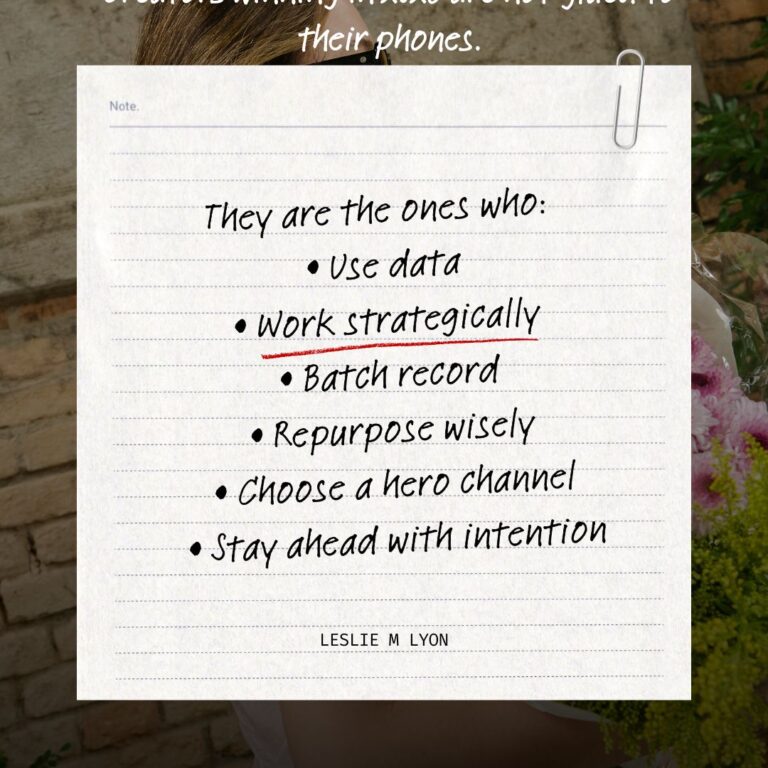
The creators winning with trends in 2026 are not the ones glued to their phones.

They are the ones who:

  • Use data

  • Work strategically

  • Batch record

  • Repurpose wisely

  • Choose a hero channel

  • Stay ahead of the trend curve with intention

You are not trying to “keep up.”
You are trying to build a system.

This is the system.

Finding TikTok Trends Fast: Your Action Plan

Here is your full weekly trend routine in one place:

  • Check TikTok Creative Center

  • Scroll your FYP intentionally

  • Search “trending sounds”

  • Save relevant audio

  • Batch record content

  • Post on Instagram first

  • Repurpose everywhere else

Simple. Scalable. Sustainable.

Next Steps

To continue building your trend strategy, read the next two posts in this series:

Want weekly strategies that actually move the needle?
Subscribe to Market Like a Lyon and get smarter marketing in your inbox every other Sunday.


Facebook
Twitter
LinkedIn
Pinterest
Reddit
Email
Why Social Media Trends Are Essential in 206

Why Social Media Trends Are Essential in 2026

Why Social Media Trends Are Essential in 2026

If you’ve been ignoring social media trends because you think they’re just for influencers and dance videos, you’re leaving serious growth on the table. Trends aren’t a gimmick. They’re one of the most powerful tools for growing your reach, attracting new customers, and beating the algorithm in 2026.

Whether you run a real estate company, a law firm, an accounting practice, or any other business, trends can work for you. Here’s exactly why social media trends matter and how they can transform your organic reach.

Trending Audio Gets Algorithmic Priority

When you use trending audio on Instagram or TikTok, the platform pushes your content harder. Period.

Instagram and TikTok prioritize content that uses popular sounds because it keeps people on the app longer. Your video gets shown to more people simply because you’re riding that wave.

This isn’t a hack or a trick. It’s how the algorithm is designed to work. Platforms want people to engage with what’s popular, and when you participate in trends, you’re working with the algorithm instead of against it.

Every Social Media Trend Works for Every Business

“But I sell insurance/real estate/accounting services. Trends don’t apply to me.”

They absolutely do. Every trend can be adapted to any business or industry.

Take the Jackass trend going viral right now. People are using that iconic theme song to call out the wild, uncomfortable, or straight-up ridiculous parts of their industry:

  • A realtor can show themselves walking into a house with 47 cats
  • A lawyer can film themselves opening an email from that client
  • An accountant can document the shoebox of receipts a client just dropped off

The trend gives you the format and the audio. You just plug in your reality. That’s what makes social media trends work for ANY business.

Social Media Trends are Essential in 2026

Social Media Trends Unlock the Non-Follower Audience

This is the big one. The algorithm rewards trend participation by pushing your content to people who don’t follow you yet.

That’s how you break out of only reaching the same 200 people every time you post. Social media trends are how you get discovered by new potential customers who have never heard of you before.

When you use trending audio or participate in trending formats, you’re essentially getting free distribution to people outside your existing audience. That’s the entire point of organic growth.

Timing Social Media Trends Matters (But Not How You Think)

You don’t need to jump on a trend the second it starts. Actually, catching it on the upswing or even at its peak can work better for smaller accounts because that’s when the audio has maximum momentum.

Jump in when you see a trend 3 to 5 times on your feed, not when it’s brand new or completely dead.

Early adopters get credit for being first, but mid-cycle participants often get better reach because the trend has proven itself and the algorithm is pushing it hard.

Social Media Trends Build Relatability Faster Than Polished Content

Trends are inherently casual and human. When you participate, you’re showing up as part of the conversation, not above it.

People connect with businesses that feel like they’re in the mix, not just broadcasting perfectly curated content. Social media trends give you permission to be less perfect and more present.

This matters because today’s consumers want to buy from businesses they feel connected to. Trends help you build that connection faster than traditional branded content ever could.


Check out both Instagram and Tiktok Creators.


You Don't Need to Go Viral for Social Media Trends to Work

You can and should if your content is relatable. You might need outside eyes if you aren’t getting some viral posts.  HOLLER, I’m open to reviewing your socials with you.  

Even if your trend video gets 500 views instead of 50,000, you’ve likely reached 300 new people who’ve never seen your account before.

That’s 300 potential clients who now know you exist. Social media trends aren’t just about going viral. They’re about consistent discovery and steadily expanding your reach over time.

If you’re not incorporating trends into your content strategy, you’re leaving reach on the table. And in 2026, reach equals growth.


If you are curious what all we do here at LML, if it is digital we do it. 

Why Social Media Trends Matter: The Bottom Line

Social media trends give you:

  • Algorithmic priority and increased distribution
  • Access to non-follower audiences
  • A way to showcase your brand personality
  • Consistent organic growth without ad spend
  • Connection and relatability with your target audience

Start with one trend this week. Adapt it to your business. Watch what happens.

Next step: Learn which platform you should focus on for maximum SEO impact in our next post: [Instagram vs TikTok: Choosing Your Hero Channel for Trends]

Resourses: 

Instagram Creators: https://creators.instagram.com/

Tiktok Creators: https://www.tiktok.com/creators/

Social Media Algorithms: https://blog.hootsuite.com/social-media-algorithm/

How I Hit 2.5 Million Views in 7 Days (And What You Can Learn From It)

Let’s talk about results, because trends mean nothing if they don’t translate into traction.

Recently, I hit 2.5 million views in just 7 days, and it wasn’t luck, virality magic, or selling my soul to the algorithm. It came from a very intentional mix of:

1. Trend Strategy with Purpose

I didn’t just follow trends. I applied the right ones at the right time. I used trending formats, audios, angles, and timing that aligned with what my audience was already thinking about. Trends aren’t about copying. They’re about riding momentum with intention.

2. Radical Authenticity

I showed up as myself. Voice, personality, opinions, and all. People are not engaging with perfect content anymore. They are engaging with real humans. That alone can multiply your reach.

3. Trail Reels (My Secret Weapon)

I leveraged Trail Reels, which push your content out to non-followers. That means fresh eyes, new leads, and audience growth without boosting. If you aren’t using Trail Reels yet, you are missing one of the easiest organic visibility tools available right now.

4. Hero Platform Focus

Instagram is my Hero Platform. It is the place where my content hits hardest and where I show up the strongest. Instead of trying to be everywhere, I mastered one platform. Then I expanded.

5. Smart Repurposing

I took the winning content and repurposed it across all my channels:
TikTok
Pinterest
Facebook
Email
YouTube Shorts
LinkedIn
One piece of content became multiple touchpoints and massive visibility.

What You Can Take From This

You do not need virality.
You need clarity, consistency, and a strategy aligned with the platforms that carry the most weight for you.
Apply these steps and you will increase visibility without burning yourself out or posting 14 times a day.

Why My Marketing Works (And Why You Should Listen)

One of the reasons my strategy works so well, for me and for my clients, is that I’m not teaching theory. I have built, launched, and scaled five businesses in the last eight years.

Here is what that means:

1. I Understand Real World Pressure

Most marketing advice comes from people who have never worried about payroll, client churn, or doing everything alone or with a small team. I have lived it, more than once.

2. I Know What Drives Sales and What Doesn’t

Running businesses in different industries taught me exactly what moves people, what converts, and what is simply noise. My strategies come from experience, not guesswork.

3. I Have Tested Everything I Teach

Funnels, content systems, CRMs, branding, offers, ads. I have broken things, rebuilt things, optimized things, and refined every system I teach today.

4. I Do Not Believe in Overcomplication

When you have built multiple businesses, you learn very quickly that complexity kills momentum. Everything I teach is designed to be simple, repeatable, and profitable.

5. I Know How to Build From Zero

Starting from scratch repeatedly gives you the kind of clarity that no course can teach. You learn what matters and what doesn’t. You learn how to get traction fast. You learn how to build systems that do not fall apart.

That is why my marketing works.
It is built on real life, not “Instagram guru” theory.

Facebook
Twitter
LinkedIn
Reddit
Email
Pinterest